
A gamma flip happens when a ticker's price crosses its Gamma Flip level, moving from a positive-GEX regime (where dealer hedging dampens moves) to a negative-GEX regime (where dealer hedging amplifies moves), or vice versa. These crossovers mark some of the most important moments in GEX analysis because price behavior often changes character immediately after a flip — a rangebound market can turn trending, or a trending market can snap back to mean reversion.
The Gamma Flip tab combines two related features: a historical events log showing every flip that's happened recently, and an alerts configuration so you get notified when new flips occur in real time.
Before you start
Required:
- QuantWheel GEX or QuantWheel PRO subscription.
- Familiarity with what the Gamma Flip represents. See Understanding call walls, put walls, and gamma flip first if you're new.
Time to complete: 8 minutes
What the Gamma Flip tab shows
The tab has two halves:
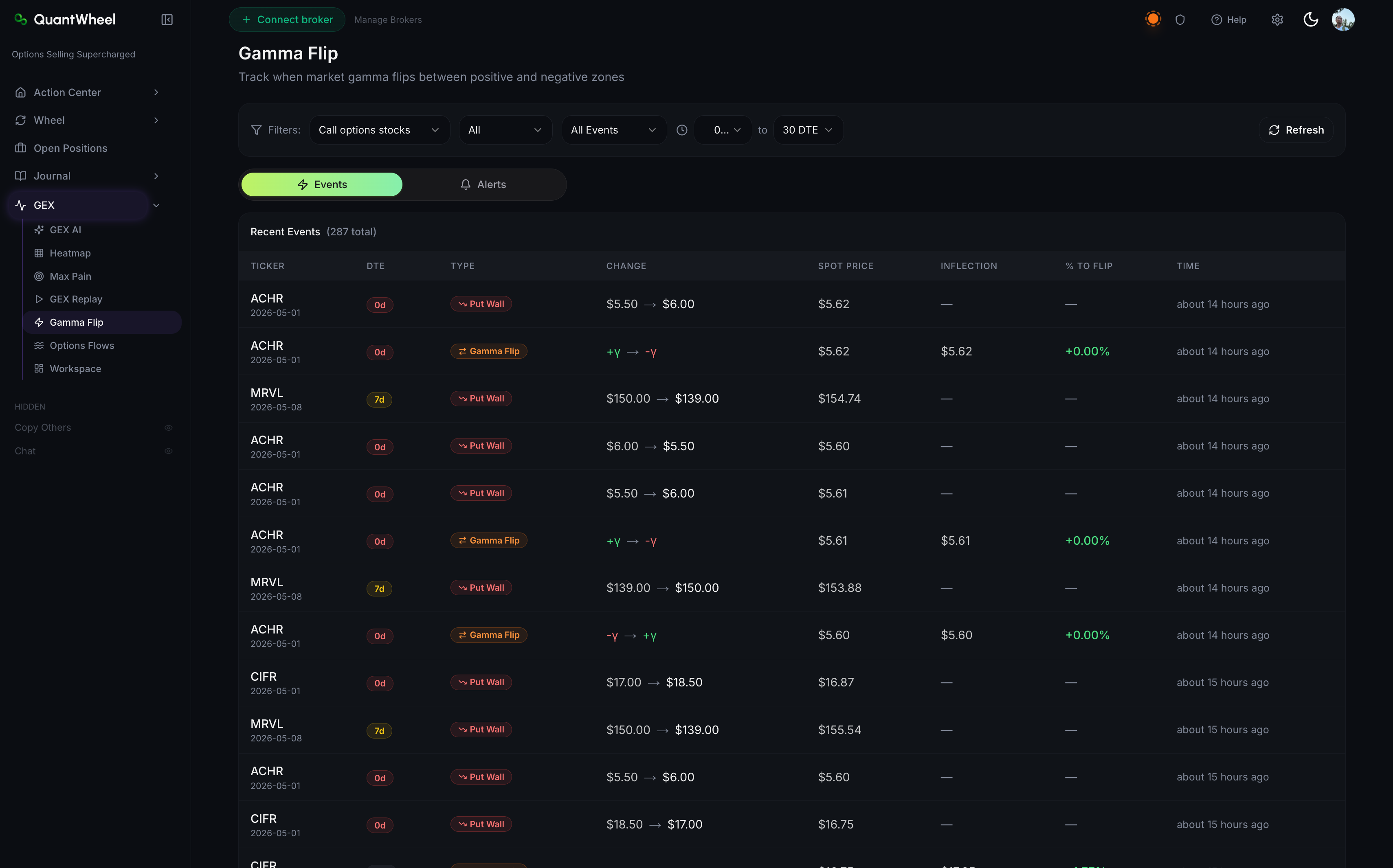
Events log
A chronological list of recent gamma flip events across tracked tickers. Each event shows:
- Ticker
- Timestamp of the flip (to the minute)
- Direction — either "crossed from positive to negative" (entering a short-gamma regime) or "crossed from negative to positive" (entering a long-gamma regime)
- Price at flip — the underlying price when the flip occurred
- Gamma Flip level — the level that was crossed
- Follow-up note — a short summary of what price did in the 30-60 minutes after the flip (e.g., "SPY broke down 0.7% over the following hour")
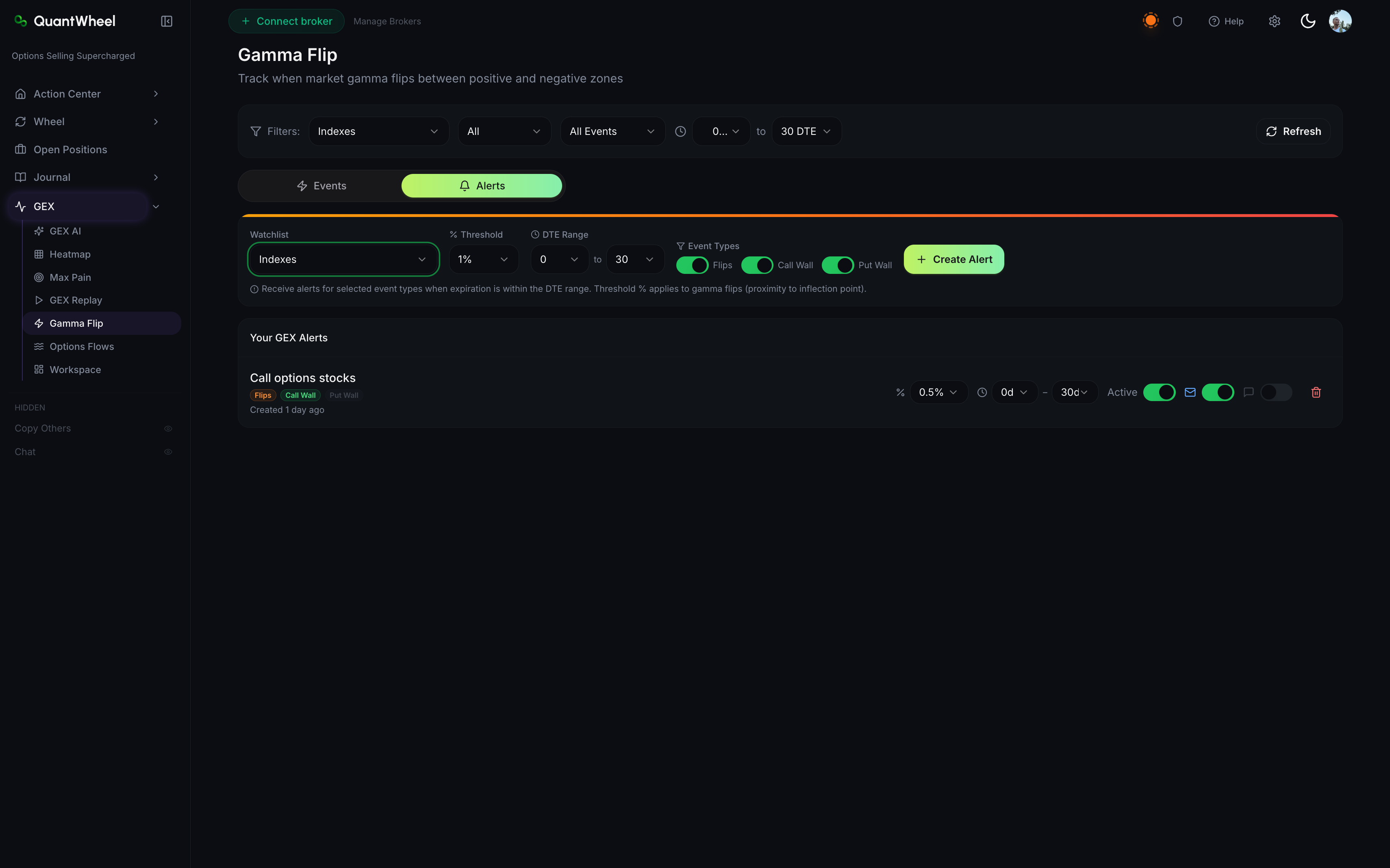
Alerts configuration
Below or alongside the events log, a configuration panel lets you set alerts for new flips:
- Watchlist selector — which tickers to monitor (your saved watchlists or a custom list)
- Direction filter — alert on all flips, or only on flips in one direction
- Delivery channels — email and Discord
- Cooldown — prevent multiple alerts if a ticker flips back and forth around its level
Steps
1. Open the Gamma Flip tab
In the sidebar, open GEX → Gamma Flip.
2. Review recent events for your tickers
Scan the events log for tickers you trade. Each event's follow-up note gives you a quick read on whether the flip had a tradable follow-through.
Useful filters at the top:
- Filter by ticker (or multi-select)
- Filter by time window (last 24 hours, last 7 days, last 30 days)
- Filter by direction
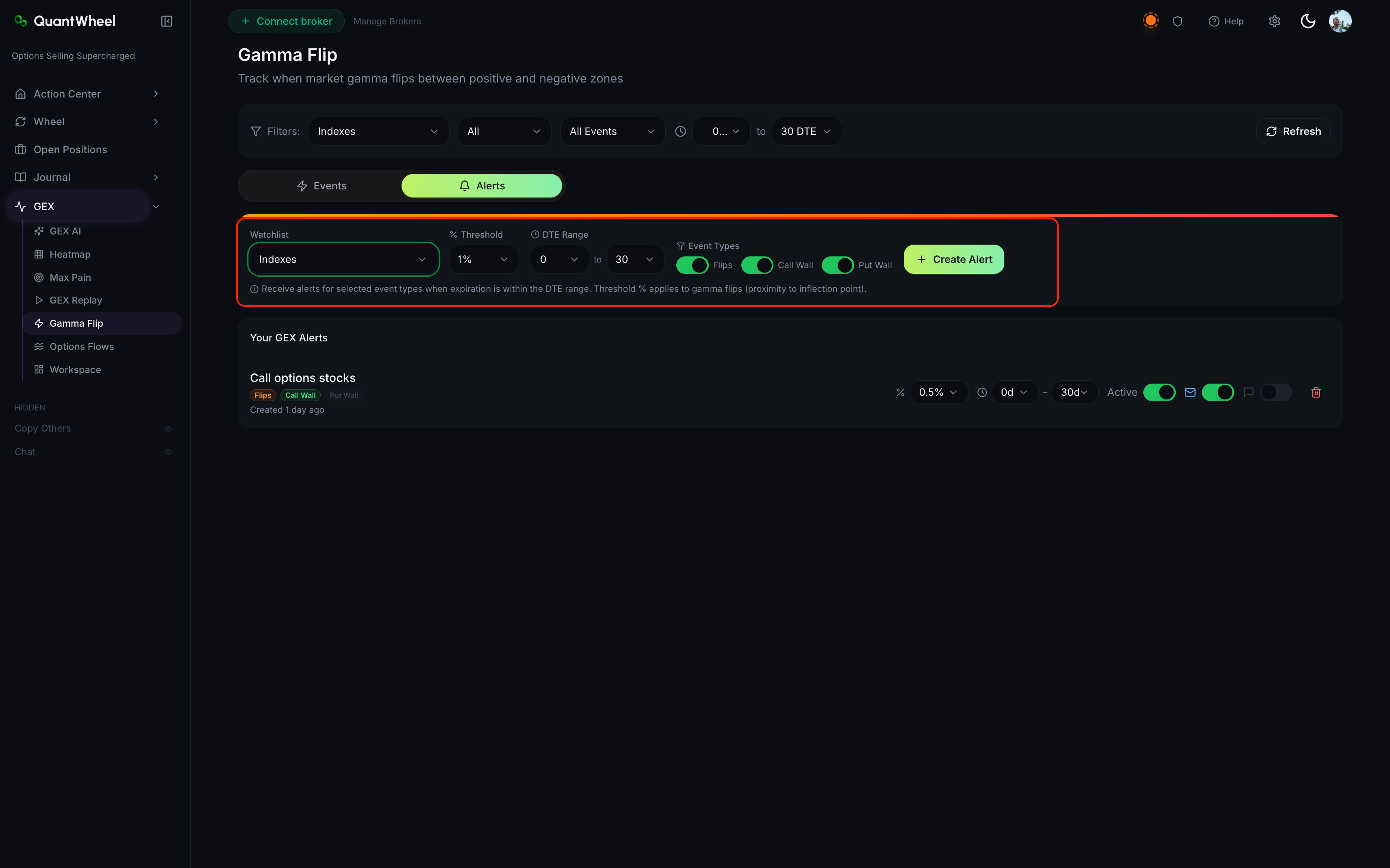
3. Set up an alert
Scroll to the Alerts configuration panel. Pick:
- Tickers to watch — your active watchlist is the usual choice, but you can specify tickers directly
- Direction — "all flips" catches the most; "positive to negative" alone catches regime breakdowns into short-gamma (often the more tradable direction)
- Delivery channel(s) — at least one must be enabled. If Discord isn't set up yet, see How to set up Discord alerts first.
- Cooldown — 30-60 minutes is a reasonable default; prevents alert spam on tickers that flip repeatedly around their level
Click Save. The alert is live immediately.
How to use gamma flips
As a regime signal
The core reason to track flips: they tell you when trading conditions are about to change. A transition into a short-gamma regime warns that upcoming moves can be larger than recent history suggests; a transition into long-gamma suggests upcoming moves will compress.
For pairs with your directional setups
A bullish chart setup on a ticker that just flipped positive (entering long-gamma) has a structural headwind — moves will be compressed. The same setup right after a flip into negative (short-gamma) has structural tailwind for trending action.
For intraday trading on major indices
Flips on SPY, SPX, and QQQ are the most-traded of all flip signals. An SPX flip into negative GEX during the session often marks the start of the day's most directional hour. An SPX flip back into positive often marks the close of directional action and the start of chop.
Not as a standalone signal
A flip alone is not a trade. It changes the context for other signals. Without a separate bullish or bearish catalyst, a flip tells you "things may get wilder from here" without telling you which direction.
Common issues
The events log is empty for my watchlist tickers.
Most tickers don't flip often — weeks can pass without a single flip on major indices during stable regimes. If your watchlist is quiet, try adding high-flow tickers (SPY, SPX, QQQ, NVDA, TSLA) to see events more frequently.
An alert fired but I don't see the corresponding event in the log.
The events log has a short delay (typically under 1 minute) between detection and logging. Your alert may have fired faster than the log rendered. Refresh the page to see the event.
Alerts fire too frequently on certain tickers.
Either the ticker flips often around its level (normal for some tickers, especially mid-cap names with moderate options activity) or the cooldown is too short. Increase the cooldown or narrow the direction filter.
The follow-up note for some events is missing.
Follow-up notes are generated by QuantWheel's tracking of post-flip price action over a 30-60 minute window. Very recent flips (within the last hour) may not have a note yet.
Can I back-test a flip-based trading strategy?
Not directly within the Gamma Flip tab. GEX Replay lets you study flip events case-by-case, which is the closest thing to back-testing available today. Systematic back-testing isn't a current feature.
How does this relate to Smart Alerts?
Gamma Flip alerts are specialized — they watch for a specific event (price crossing the Gamma Flip level) and don't need natural-language rules. Smart Alerts are more general — you can write any rule involving any supported metric. Use Gamma Flip alerts for flip events; use Smart Alerts for everything else. See How alerts work on QuantWheel for the full picture.
Related
- Understanding call walls, put walls, and gamma flip
- How to read the GEX Heatmap
- How alerts work on QuantWheel
- How to replay historical GEX
Risk disclaimer: Options trading involves substantial risk of loss and is not suitable for all investors. Past performance does not guarantee future results. This content is for educational purposes only and is not investment advice.