
Options trading journal… that keeps up with your rolls
$180M+ in connected portfolios
Used daily by 2,000+ options traders across 14+ US brokers.
Your broker connection is read-only. QuantWheel never sees your password and cannot place trades.





See How to Maximize Returns on Your Wheel in 60 seconds • $1 for 7 days • Cancel anytime
Your journal starts filling in as soon as your broker is connected. Puts, rolls, assignments, shares, and covered calls stay tied to the same position history.
Traditional journals do not understand the wheel
When you sell a put, roll it twice, get assigned, then sell covered calls, is that one trade or five? Most journals treat every leg as a separate event, so the story breaks. The put sits in one row, the roll sits somewhere else, the assignment looks disconnected, and the covered calls become another loose entry. So you end up keeping the real journal in a spreadsheet anyway. QuantWheel is built around the full position lifecycle. It connects each step, tracks cost basis as it changes, and gives you a journal that matches how options sellers actually manage positions.
Automatic sync
Connect your broker once. QuantWheel imports the trades and position events that usually turn into manual cleanup.
Unified positions
See the full chain in one place. Short puts, rolls, assignments, shares, and covered calls stay tied to the same position.
Real cost basis tracking
Cost basis changes after premium, rolls, assignments, and covered calls. QuantWheel keeps that history visible without forcing you to rebuild it by hand.
Built for options sellers and wheel traders
Track premium events, position lifecycles, and true cost basis the way you actually trade.
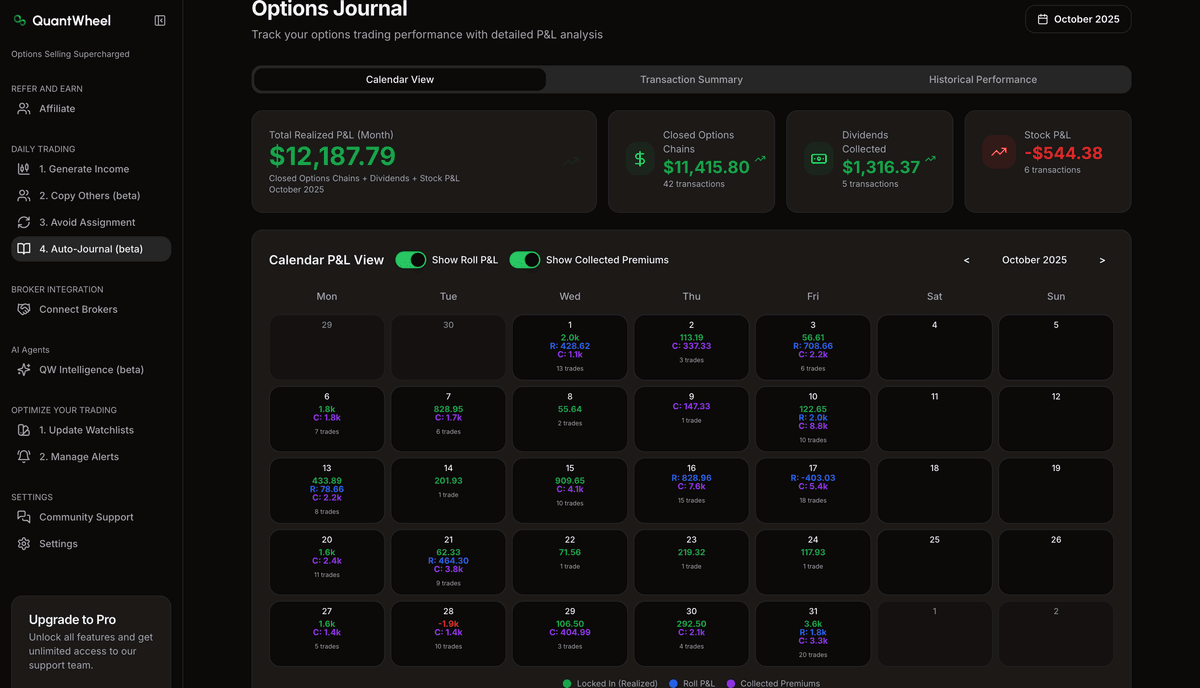
Income calendar
See upcoming expirations, premium events, and position dates in one clean view. Less digging through broker screens. Less “wait, when did I open that?”
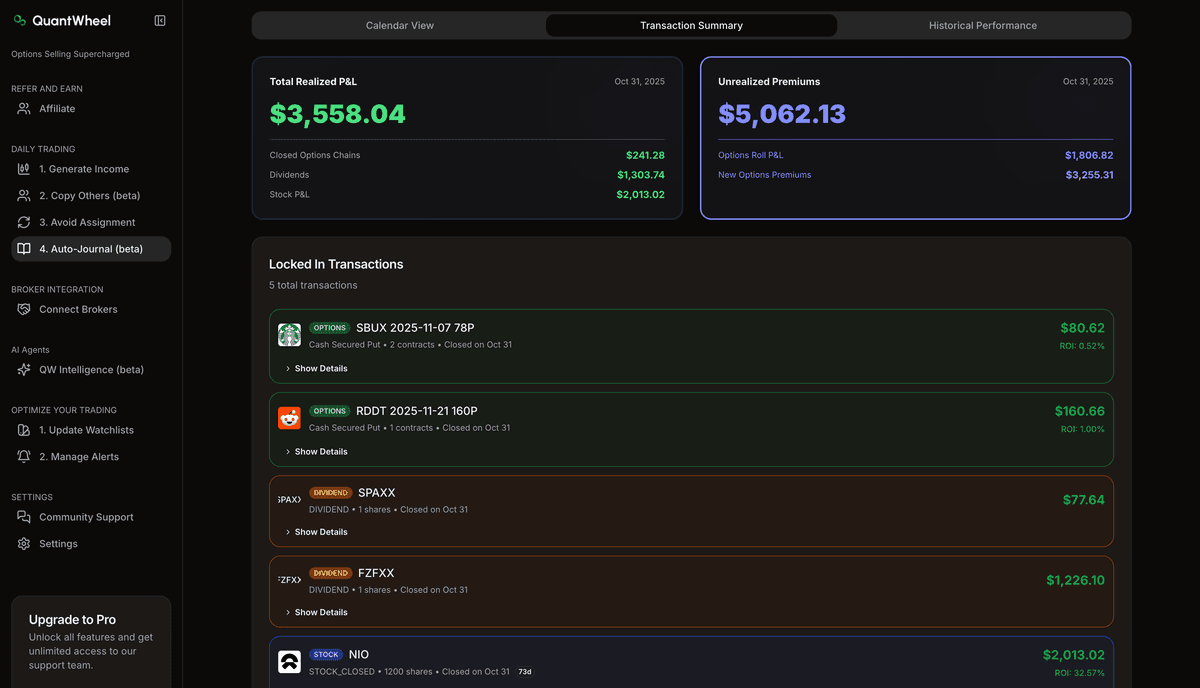
Transaction intelligence
QuantWheel reads the difference between a new trade, a roll, an assignment, and a stock event. Your journal stays organized without you tagging every line manually.
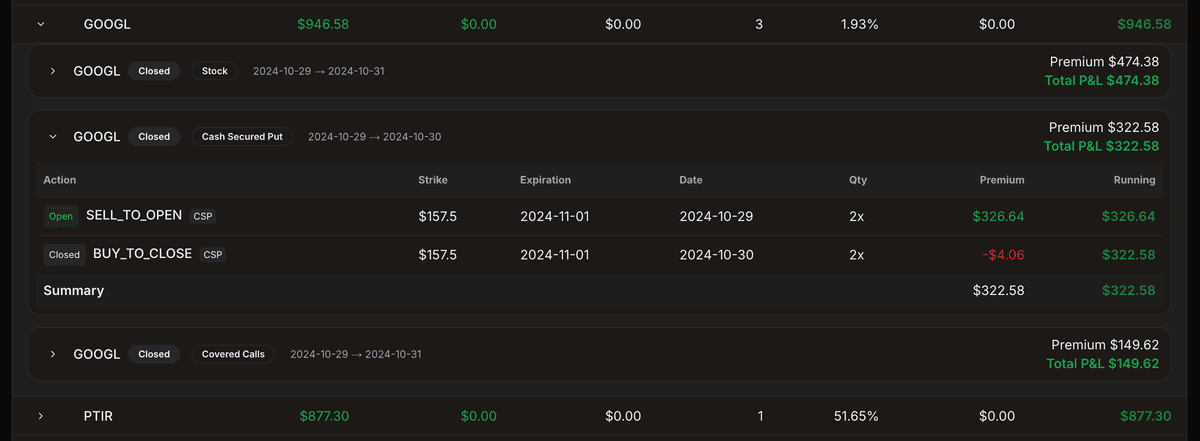
True cost basis
Track what you actually have in the position after puts, rolls, assignments, shares, and covered calls. Not because the number predicts the next trade. Because your records should be clean.
How QuantWheel auto-journals your wheel trades
Connect once, then let the journal keep up with every roll, assignment, and covered call.
Connect your broker
Start the $1 trial and connect your account. The connection is read-only. QuantWheel never sees your password and cannot place trades.
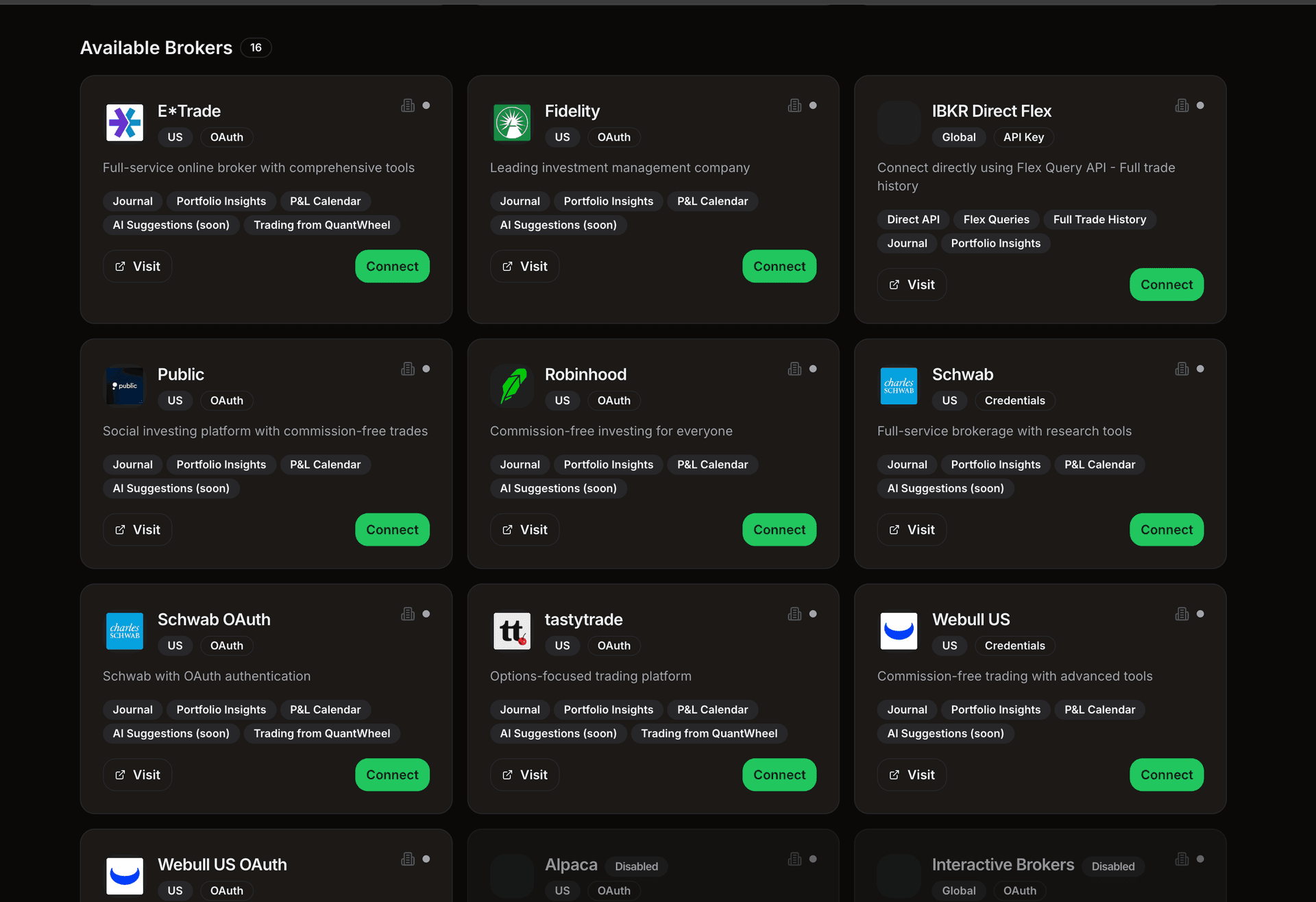
QuantWheel imports your history
Your trades and position events flow into the journal. No spreadsheet rebuild. No copy-paste ritual after market close.
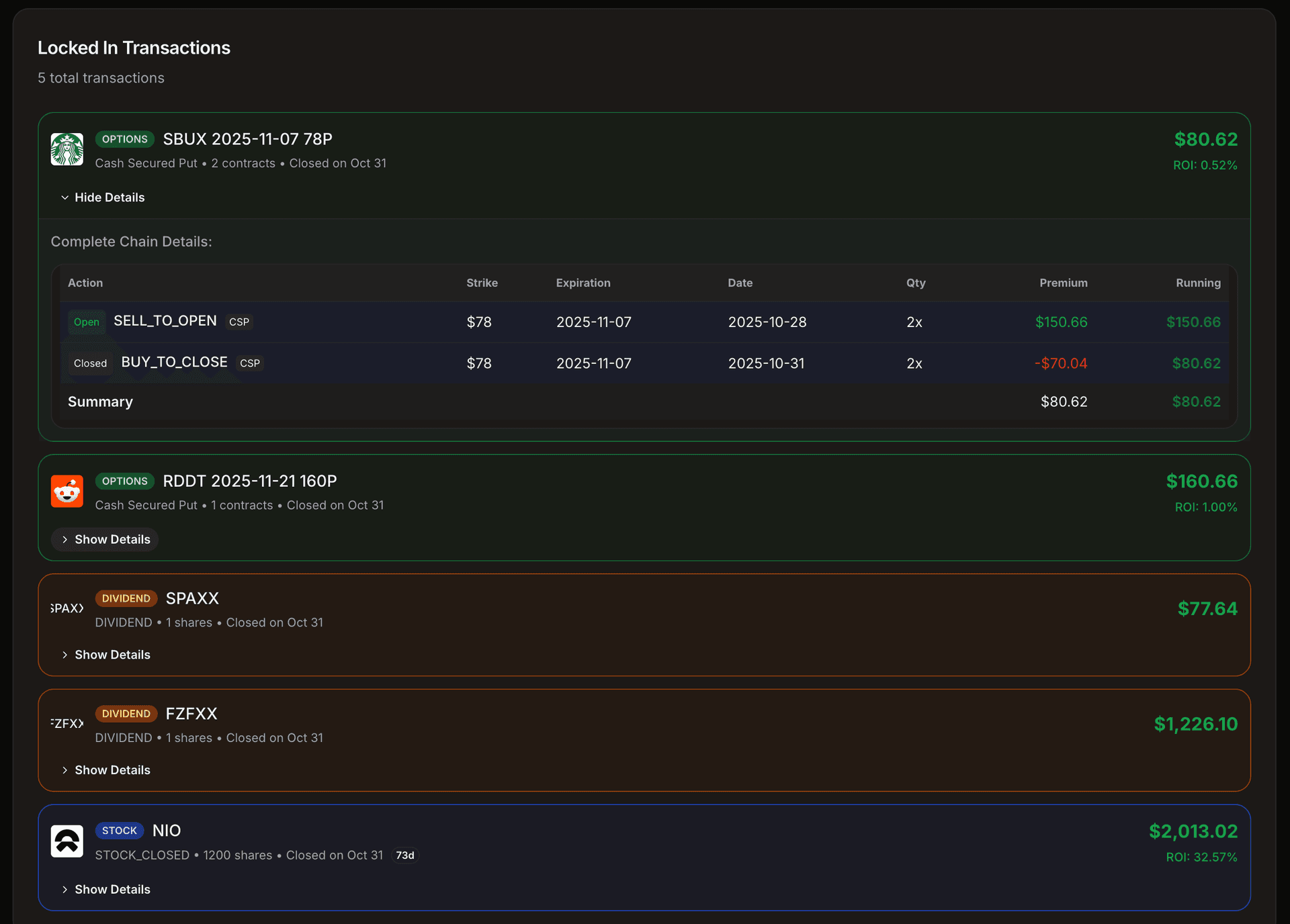
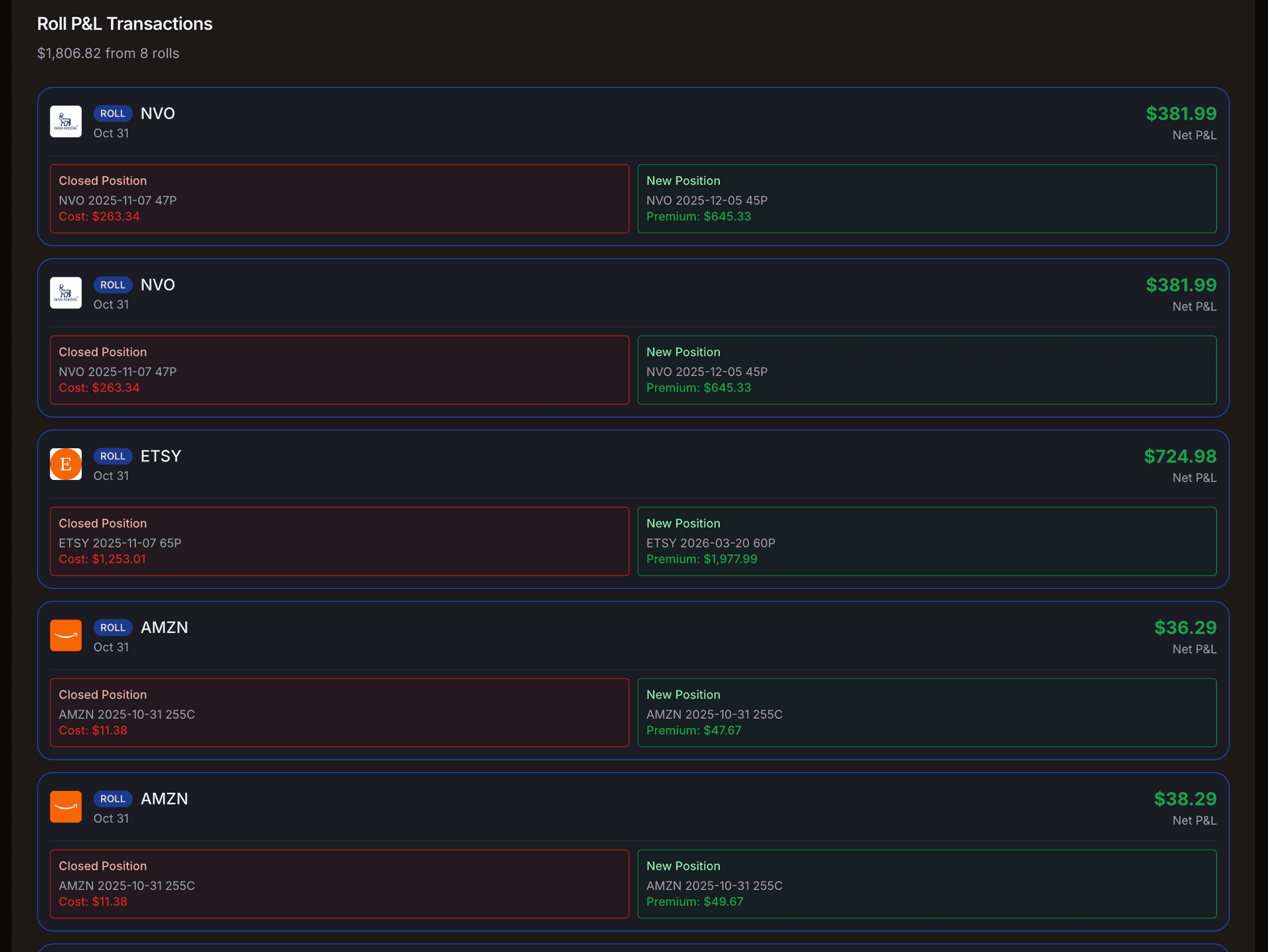
Positions get grouped the way you manage them
Puts, rolls, assignments, shares, and covered calls stay connected to the same position journey instead of scattered across separate rows.
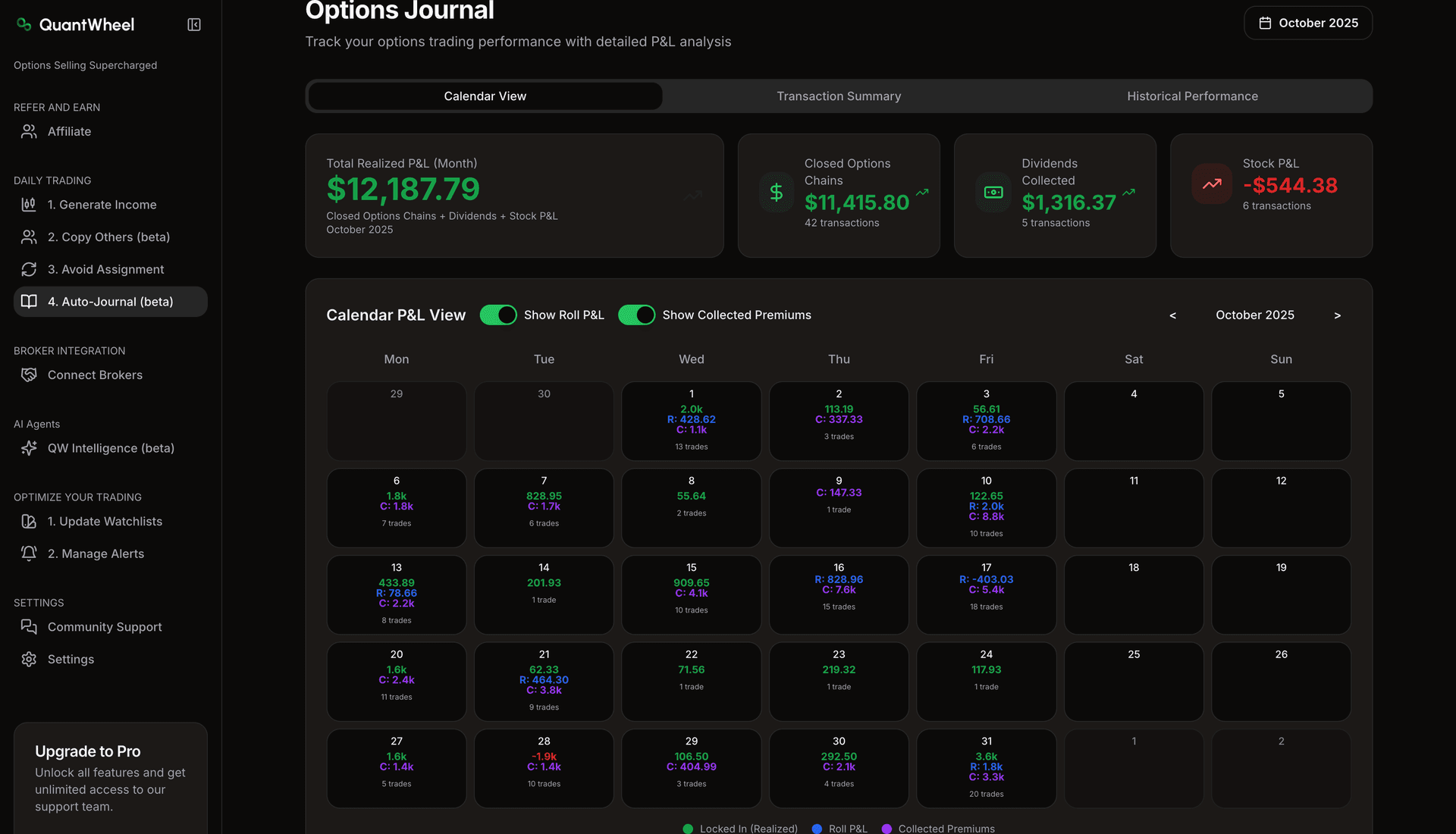
You review the full picture
Use the journal, income calendar, and cost basis history to see what happened, what is open, and what needs attention next.
Traders who stopped rebuilding their journal by hand.
Engineers and operators who trust their numbers after connecting their real broker.




My husband and I had been interested in the wheel options strategy for a long time, but the complexity of knowing what to buy and when—and the time it would take to figure everything out—kept us from getting started. QuantWheel has finally changed that. With its intuitive platform, clear guidance, and timely notifications, we now feel confident and informed. This is exactly the push we needed to finally begin our journey into options trading.
Anton
Software Engineer
QuantWheel enabled me to jump-start my option selling experience. Providing an overview of a general score for each trade combined with the most relevant stock metrics and AI risk analysis tremendously simplified the process of discovering the best trades at any given time. The team behind QuantWheel is experienced, offering quick and reliable support.

Options journal FAQ
The essentials on tracking, brokers, read-only access, and exporting your data.
Treat the wheel like one position, not a pile of trades
Your broker shows transactions. Your spreadsheet shows what you remembered to update. QuantWheel gives you the full position history in one journal. Connect your broker, let the journal sync, and check your cost basis, rolls, assignments, and covered calls without rebuilding the story by hand.
$1 for 7 days. Cancel anytime. 14-day money-back guarantee.
Your broker connection is read-only. QuantWheel never sees your password and cannot place trades.