
QuantWheel has two distinct alert systems. Smart Alerts are custom rules you write in natural language - "tell me when SPY IV drops below 18," "notify me when my CSP's delta crosses -0.40." Gamma Flip Alerts are GEX-driven and tell directional traders when a ticker crosses its gamma-flip level. This page explains the difference and routes you to the right setup guide.
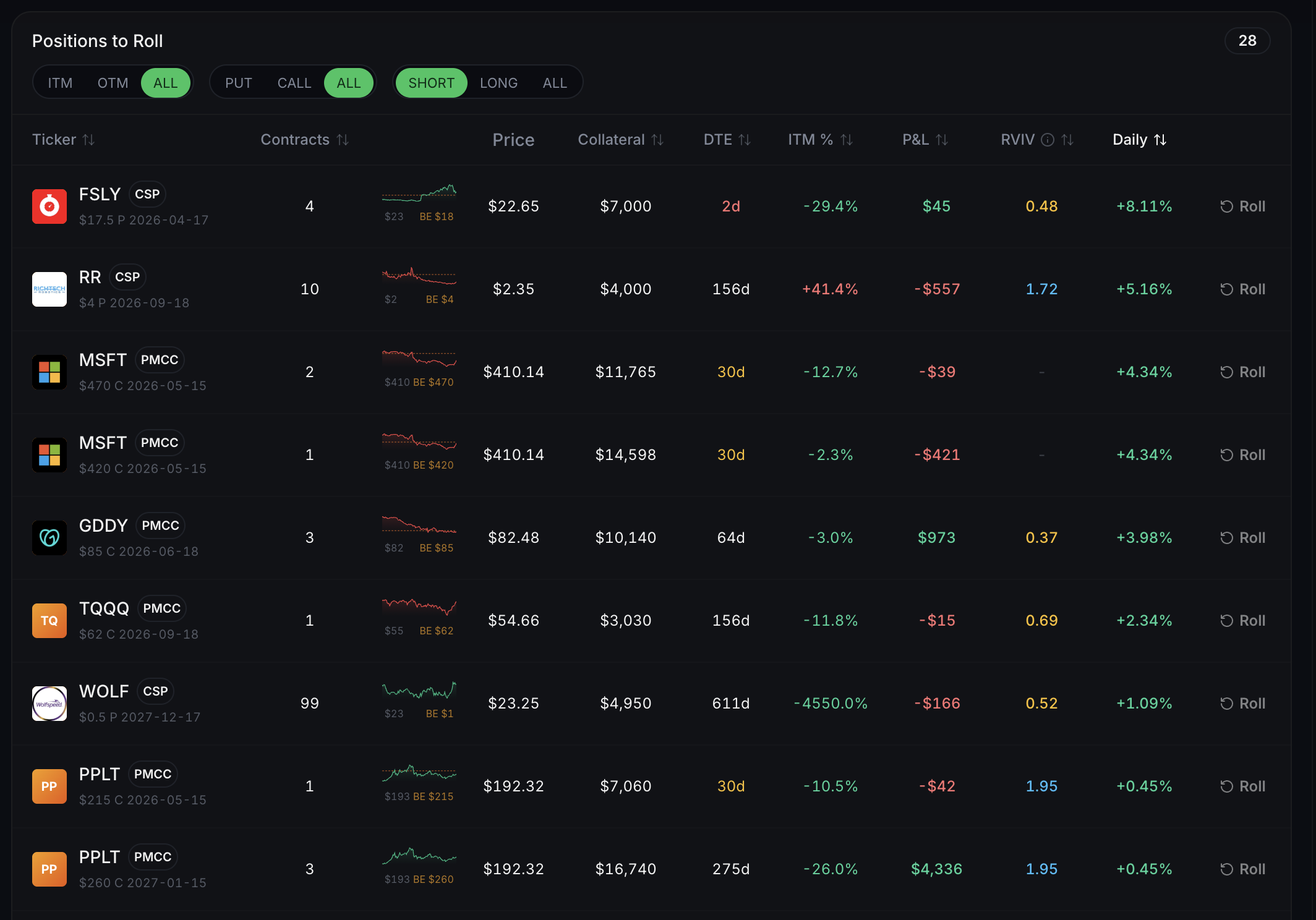
Before you start
Required:
- A QuantWheel account (Sandbox or paid). Alert setup is available on all tiers, though some delivery methods and unlimited alert counts are PRO-only.
- 5 minutes to learn which alert type fits your use case.
The two alert types
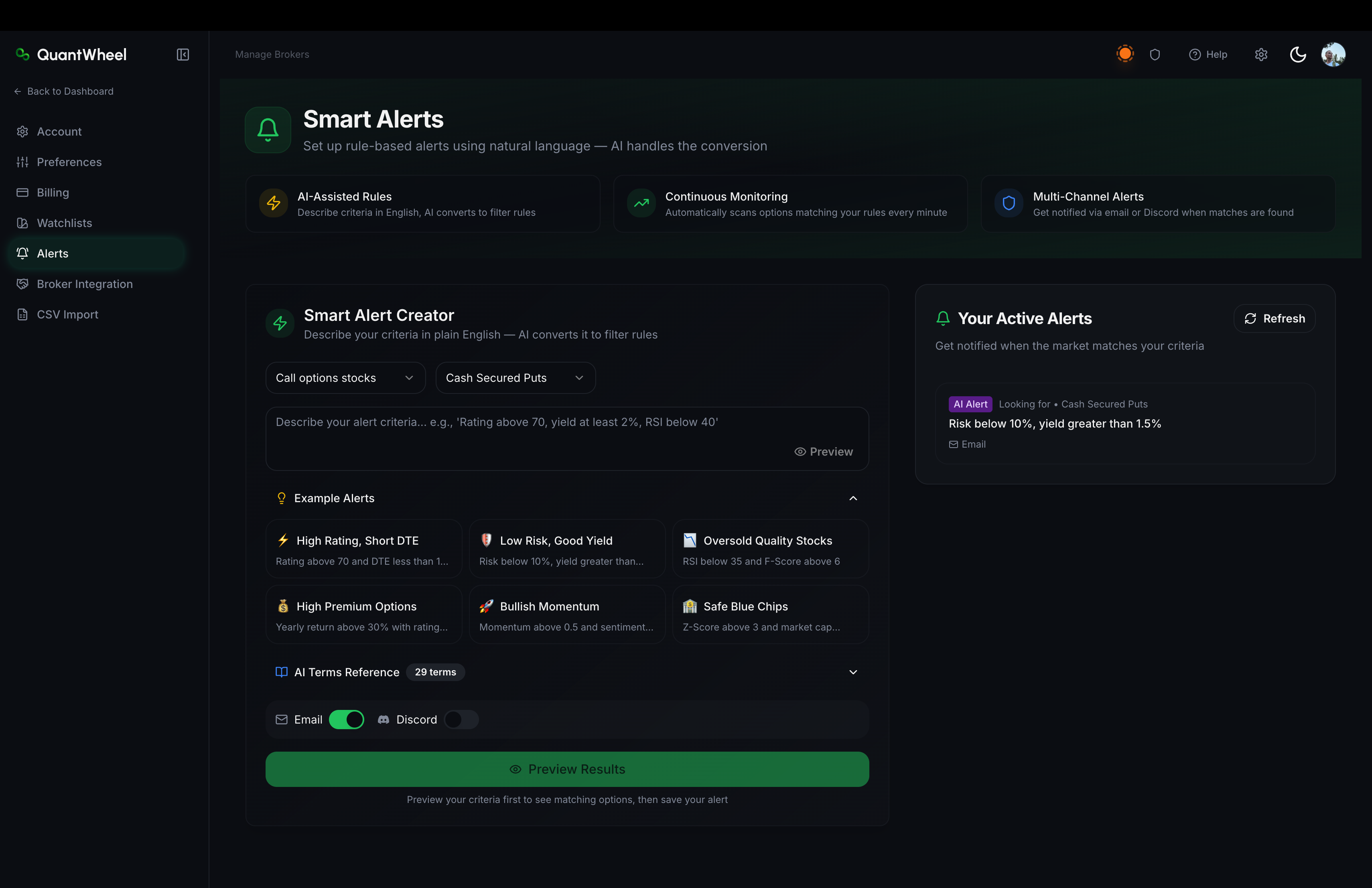
Smart Alerts
What they are: Custom rules you define using natural-language input. The rule can reference price, option metrics, your own positions, watchlist items, or technical conditions.
When the condition is met, QuantWheel sends you a notification.
Best for:
- Monitoring specific tickers for setup conditions ("alert me when NVDA IV rank is more than 70")
- Watching your open positions for action triggers ("alert when my TSLA CSP delta drops below -0.40")
- Catching technical signals ("alert when SPY RSI drops below 30")
Lives at: Alerts in the Settings sidebar. The page is titled Smart Alerts.
Deep dive: How to create a Smart Alert.
Gamma Flip Alerts
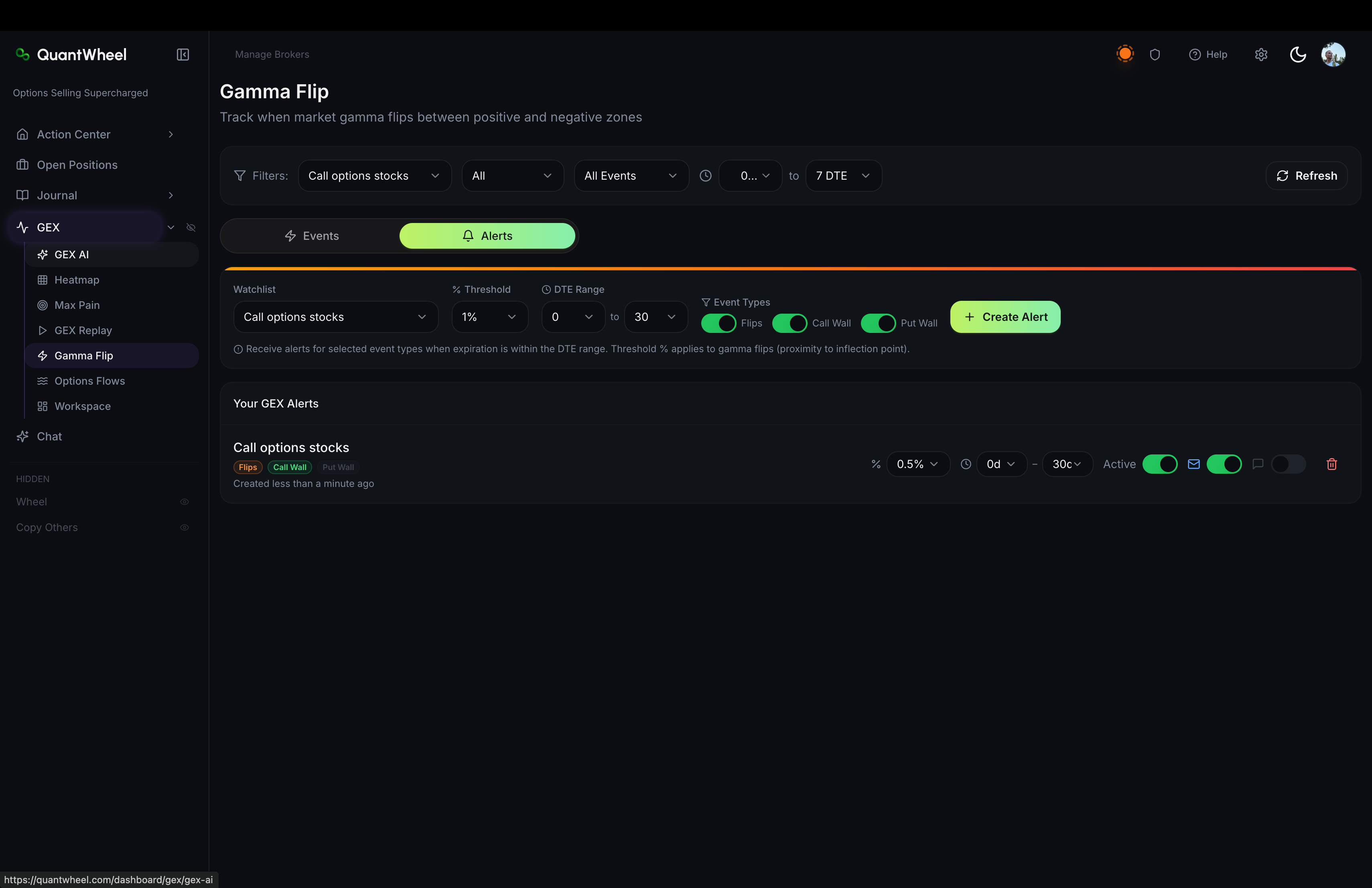
What they are: Pre-defined alerts that fire when a ticker's price crosses the Gamma Flip level - the strike where market-maker hedging flips from buying-on-rallies to selling-on-rallies (or vice versa). The Gamma Flip level is a calculated GEX metric, not a price you specify.
Best for:
- Directional traders who use GEX to read market structure
- Catching intraday regime changes (long-gamma to short-gamma zones)
- Pairing with Put Wall / Call Wall alerts for a complete GEX-based signal set
Lives at: GEX → Gamma Flip tab
Deep dive: Gamma Flip events and alerts.
Which one do you want?
If you run the wheel and want alerts on your positions or setup conditions → Smart Alerts.
If you trade directionally off gamma exposure → Gamma Flip Alerts.
If you do both, set up each independently. They don't interact.
How alerts get delivered
QuantWheel delivers alerts through email and Discord. Each Smart Alert can enable one or both channels.
Goes to the email on your QuantWheel account. On by default for most alert types. Fast, reliable, works everywhere.
Best for: Alerts you want to see even when you're not at your screen. Gets marked as unread; stays in your inbox as a record.
Discord
Posts into a channel in your Discord server through the QuantWheel bot. Requires a 2-step setup: authorize the integration, then add the bot to your server.
Best for: Active traders who already live in Discord. Real-time, visible alongside chat. Supports rich formatting (embedded option details, price snapshots).
Deep dive: How to set up Discord alerts.
Plan tier differences
- Sandbox / Free - limited alert count, email only
- QuantWheel GEX - includes Gamma Flip Alerts, Put Wall + Call Wall alerts
- QuantWheel PRO - unlimited Smart Alerts, real-time delivery, Discord + email, plus all GEX alerts
See Understanding QuantWheel plans for full tier details.
Common issues
I set up a Smart Alert but it's never fired.
Three possibilities: (1) the condition genuinely hasn't been met yet - check the alert rule on the Alerts page; (2) the rule's syntax couldn't be parsed - the Preview function catches this at creation time; (3) delivery failed. If email works but Discord does not, see Discord alerts not arriving for Discord-specific delivery troubleshooting.
I get too many alerts.
Reduce the sensitivity of the rules. Most Smart Alert conditions can be tuned (higher thresholds, larger windows, delta ranges instead of spot values). You can edit or delete individual alerts from the Alerts page.
Can I use both Smart Alerts and Gamma Flip Alerts on the same ticker?
Yes. They're separate systems with separate delivery. You might get two notifications for related events - that's expected.
Do alerts fire outside market hours?
Most Smart Alerts evaluate only when the market is open (prices don't change significantly after-hours). Some conditions based on filed data or pre-market IV can fire outside market hours. Gamma Flip Alerts are strictly market-hours.
I'm on the Sandbox - which alerts can I test?
The Sandbox supports creating alerts on the demo data so you can see the setup flow, but the alerts won't fire on your real positions (you don't have any on the Sandbox). Start a trial to test alerts on real trading.