
Over time, a useful alert library accumulates - a handful of core rules plus one-off alerts for specific positions.
The Alerts page is where you see the full list, adjust delivery, edit rules, and clean up what's no longer useful. This page covers the management actions available per alert.
Before you start
Required:
- At least one Smart Alert already created. See How to create a Smart Alert if you haven't set one up yet.
Time to complete: 5 minutes
What's on the screen
Go to Alerts in the Settings sidebar. The page is titled Smart Alerts, and the right side shows your active alert inventory.
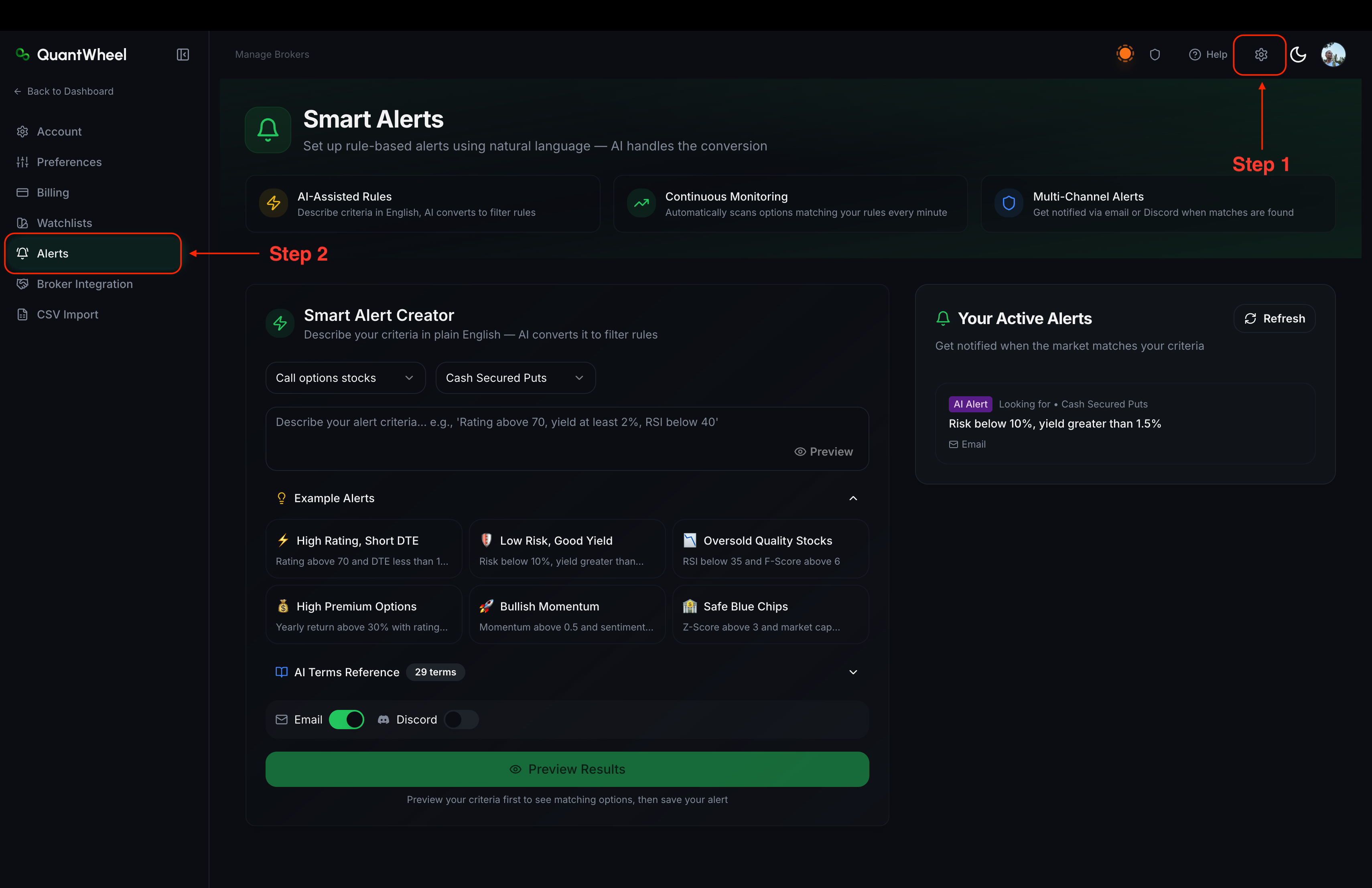
Smart Alert Creator
Name / Rule - the alert's description (auto-generated from the natural-language rule, editable)
Scope - what the alert watches (watchlist, positions, or specific tickers)
Fire Count - total firings over the alert's lifetime
Delivery - which channels the alert uses (email and/or Discord)
Actions - edit and delete controls
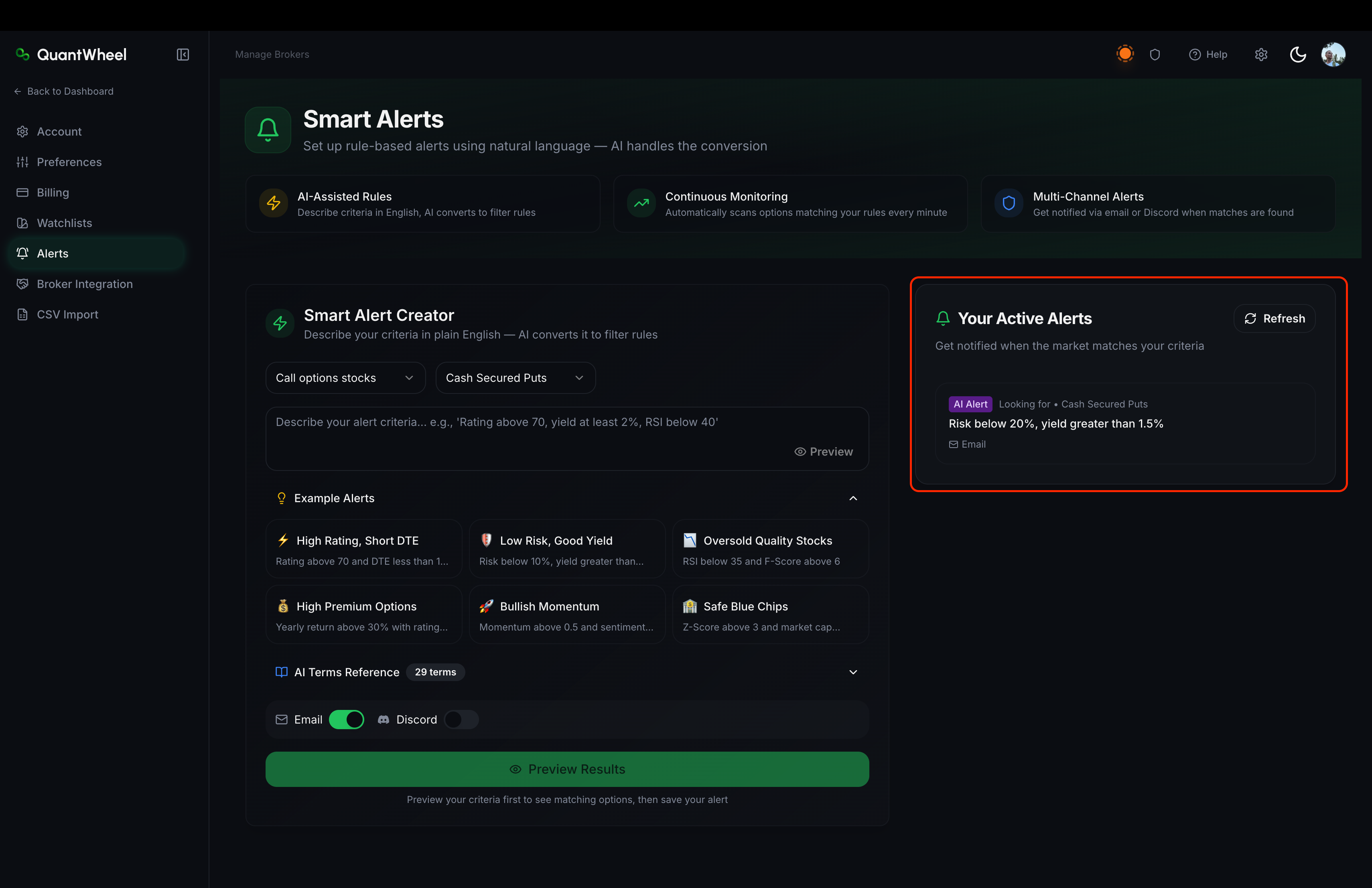
Management actions
Editing an alert
Click Edit on any alert. The edit dialog lets you adjust the rule text, watchlist, strategy, and delivery channels. Save the changes to update the alert.
Deleting an alert
Delete removes the alert permanently. A confirmation dialog protects against accidents. Deletion can't be undone.
How to keep your alert library healthy
Review quarterly
Every few months, scan the Alerts page. Alerts that are no longer useful are either too strict (consider loosening or deleting) or watching conditions that no longer apply (delete).
Delete alerts for closed positions
When you close a position, any alert scoped to that specific position becomes stale. If an alert was written for a position you no longer hold, edit the rule for a current use case or delete it.
Use scope types that auto-update
If you're running the wheel on a rotating set of tickers, use My positions as the scope rather than specific-ticker scope. This way the same alert follows your active positions automatically without per-position maintenance.
Common issues
A fired alert shows "Delivery failed" for Discord.
The Discord delivery step failed after the alert fired. See Discord alerts not arriving for the full diagnostic flow. Fixing the delivery restores all future firings; past failed deliveries don't retroactively retry.
Fire Count shows 0 but I remember getting a notification from this alert.
Either the alert was recently edited (some edits reset the counter) or you're looking at a different alert than you think. The Name field auto-generates from the rule - two similar rules on the same ticker can look identical. Open the edit dialog to confirm the rule exactly.
I want to export my alert library as backup.
Not supported directly through the UI today. If you've invested in a large alert library, screenshot the list for now and flag this as a feature request via the Help link.
Can I share my alert rules with other QuantWheel users?
Not directly. The Smart Alert rules are private to your account. Some community-shared rules exist in the Smart Alerts documentation and in Discord server conversations, but there's no in-product sharing flow.