
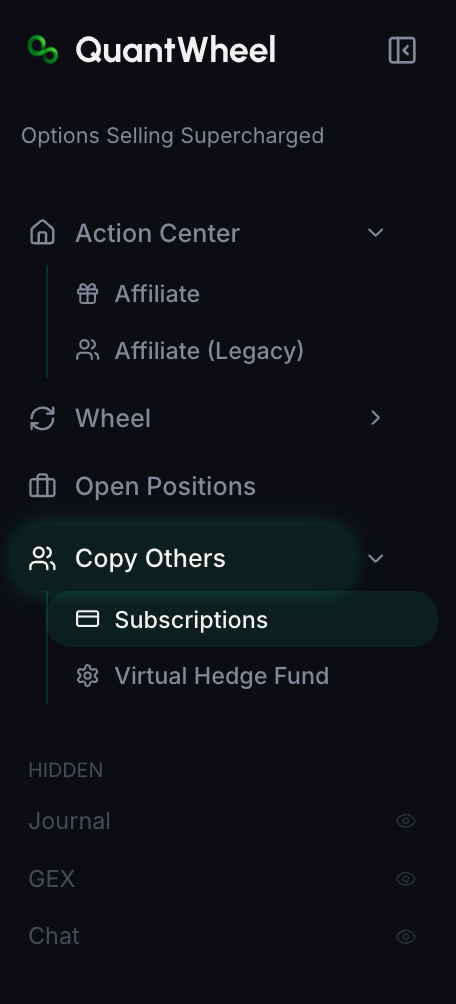
The Subscriptions sub-page exists in the sidebar, but the full management table is still being built. Today, manage a trader subscription from that trader's subscription dialog on the Copy Others page. From there you can adjust email or Discord delivery and unsubscribe or cancel.
Before you start
Required:
- QuantWheel PRO.
- At least one active subscription. See How to follow a featured trader if you haven't subscribed to anyone yet.
Time to complete: 3 minutes
Where to find it
In the sidebar on your left hand side, open Copy Others and find the trader card you follow. Click the subscribe/manage button on that card to open the subscription dialog.
What each subscription dialog shows
Per trader:
- Trader name and avatar
- Monthly cost (for paid subscriptions)
- Notification preferences - per-subscription controls for whether their signals deliver via email or Discord
- Subscribe, Update, Unsubscribe, or Cancel Subscription actions depending on your current state
The dedicated Subscriptions page will eventually consolidate this into one table, but that table is not live yet.
Common tasks
Change notification preferences for a specific trader
Sometimes you want to follow a trader but don't need email alerts every time they post - just a feed entry you can read when you have time.
Open the trader's subscription dialog. Toggle:
- Email delivery on/off
- Discord delivery on/off (requires Discord setup)
Preferences take effect immediately.
Unsubscribe from a free trader
Click the trader's Unsubscribe button in the subscription dialog. Confirmation removes the trader from your Following state and stops their signals.
Unsubscribing is permanent (for that subscription event) but non-punitive - you can re-subscribe any time from their profile.
Cancel a paid subscription
Click the Cancel Subscription button in the subscription dialog. Depending on the trader's terms:
- You keep access through the end of the current billing period
- No further charges after the current period ends
- The trader stays in your Following list through the paid period, then drops out
The cancellation dialog should show the access terms for the paid subscription.
Update payment method for paid subscriptions
Paid Copy Trading subscriptions typically use the same payment method as your QuantWheel subscription. To update, go to Settings → Billing and update there; the new method applies to all paid subscriptions at next renewal.
Review payment history
Dedicated Copy Trading payment history is not available in the Subscriptions page yet. Use your Stripe receipts or billing emails for now. A future management page should make it easier to:
- Reconciling credit card bills
- Seeing total spend on Copy Trading over time
- Downloading invoices for expense reports
How to keep your subscriptions healthy
Review quarterly
Every few months, review the traders you follow on the Copy Others page. For each paid subscription, ask: "Is this still teaching me something?" If the answer is no - you've absorbed what you wanted, or the trader has drifted from what you signed up for - cancel. You'll re-absorb the budget toward a new subscription or just save it.
Watch the recent-signal-count
Traders go quiet sometimes - vacation, change in strategy, time off. A trader who hasn't posted in 60 days isn't serving you, even if their past performance looked good. Consider unsubscribing and checking back later.
Don't stack more than 3-5 paid subscriptions
Copy Trading is a learning tool. Watching 10 traders simultaneously produces noise, not insight. Three to five is a reasonable ceiling - more than that, you're not really absorbing any of them deeply.
Common issues
I canceled but I'm still getting charged.
Cancellation takes effect at the end of the current billing period. If you see another charge after that, it's an error - report via the Help link with the specific subscription and date.
A subscription shows as active but the trader's signals stopped arriving.
Either the trader has stopped trading, disabled public sharing, or their broker sync is lagging. If you are paying for the subscription and signals have stopped for longer than expected, report it via Help with the trader name and approximate dates.
Why is a subscription still showing after I unsubscribed?
Paid subscriptions may remain active through the end of the current billing period after cancellation. The consolidated Subscriptions page is still being built, so use the trader dialog and billing receipts as the source of truth.
Can I pause a subscription instead of canceling?
Most Copy Trading subscriptions don't support pause. Cancel and re-subscribe is the standard path if you want to take a break.
Can I negotiate pricing with a specific trader?
Not through QuantWheel's platform. Pricing is set by the trader. If you want a private arrangement, that's outside the product.
Related
Risk disclaimer: Options trading involves substantial risk of loss and is not suitable for all investors. Past performance does not guarantee future results. This content is for educational purposes only and is not investment advice.