
Connecting Webull takes about 90 seconds. You click Connect on Webull's card in QuantWheel, log in on Webull's own website, and approve read-only access. QuantWheel starts syncing your positions, transactions, and cost basis automatically.
Before you start
Required:
- QuantWheel PRO, QuantWheel GEX, or an active $1 trial.
- A Webull account with online access credentials.
- A web browser (the connection flow doesn't work in the QuantWheel mobile app yet).
Time to complete: 90 seconds
Steps
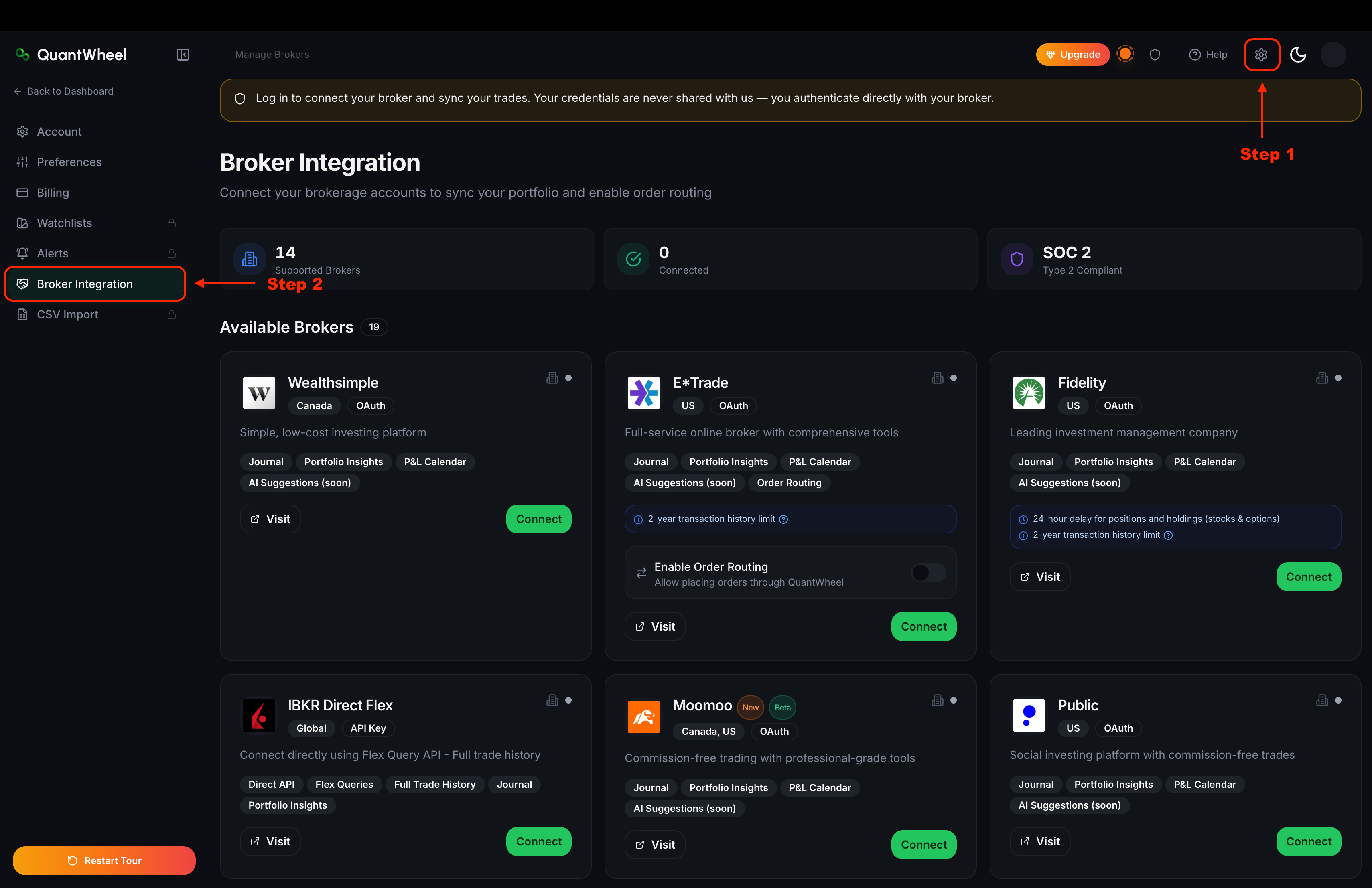
- In QuantWheel, go to Settings → Broker Integration (or click Manage Brokers in the top bar).
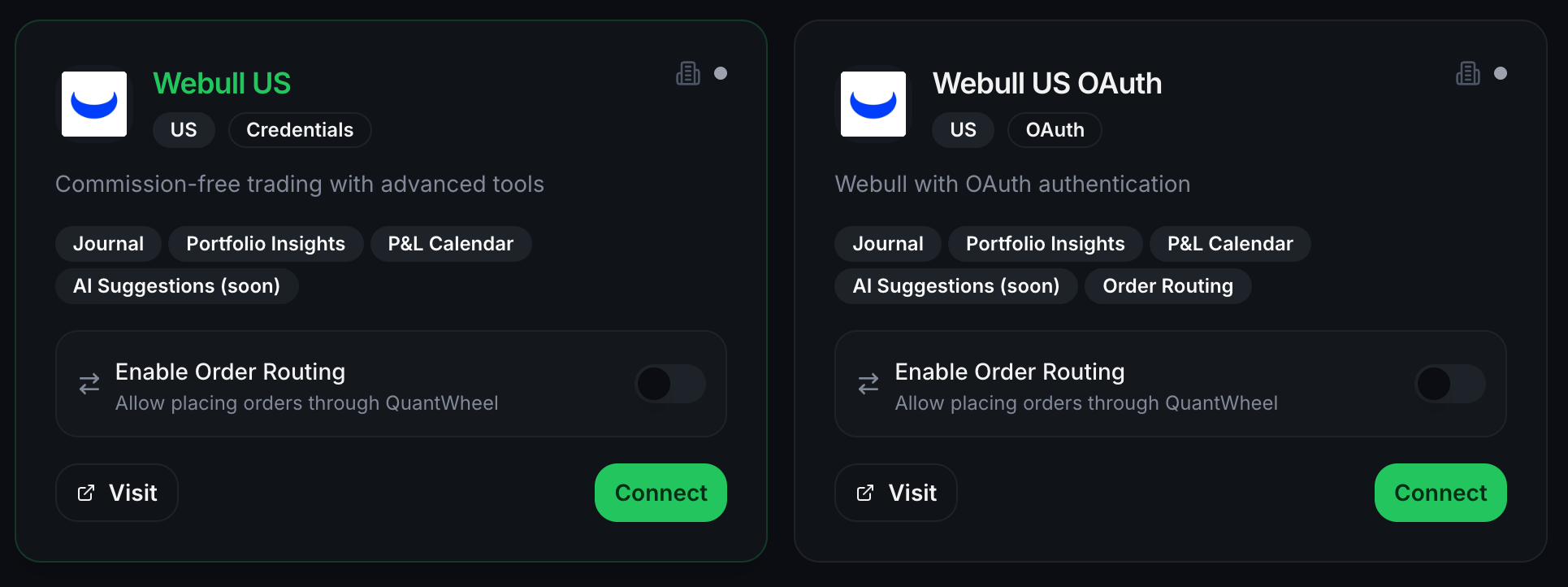
- Find the Webull card in the list of supported brokers and click Connect.
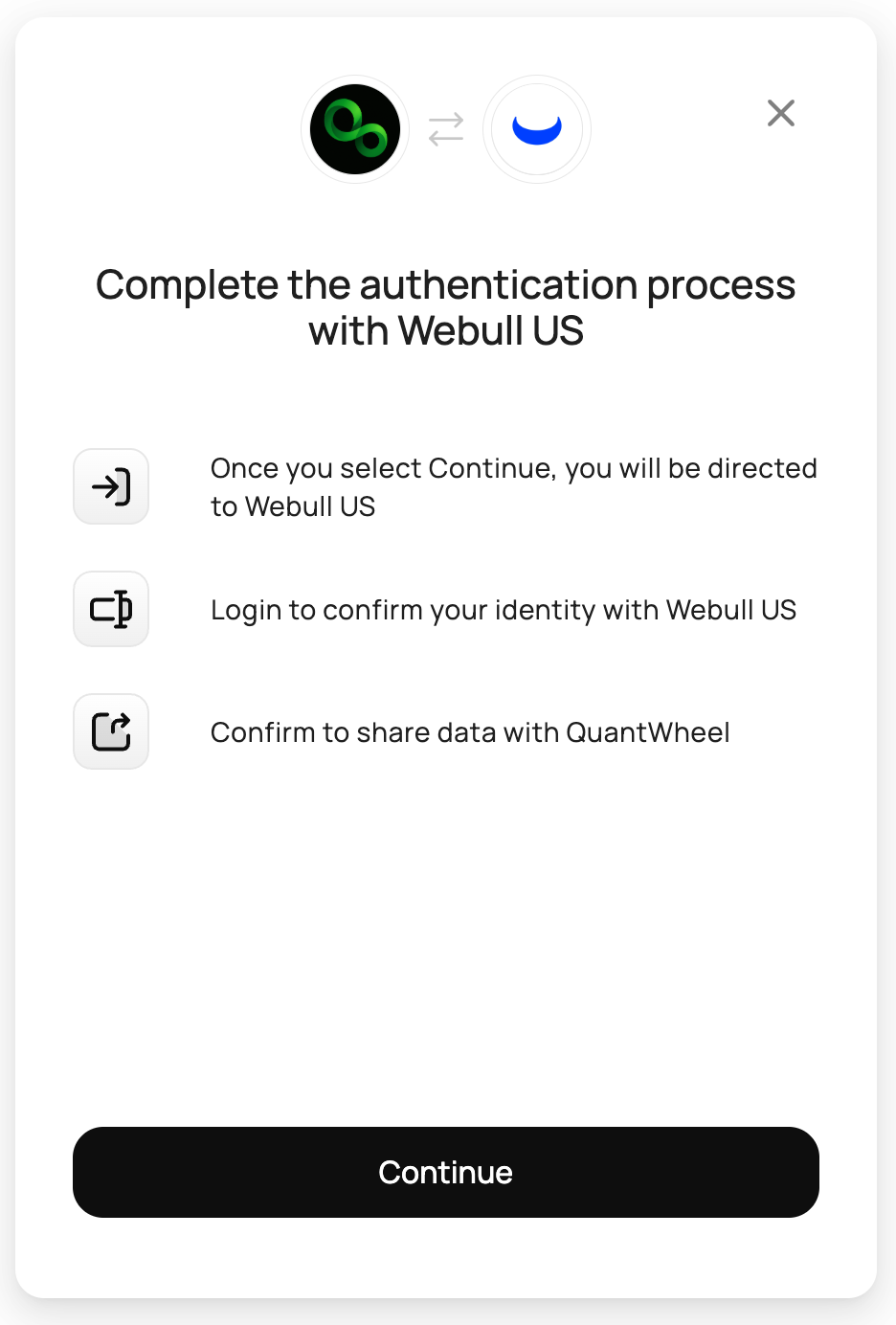
- An authentication modal appears showing the Webull logo and the next three steps: directed to Webull, log in, and confirm data sharing. Click Continue.
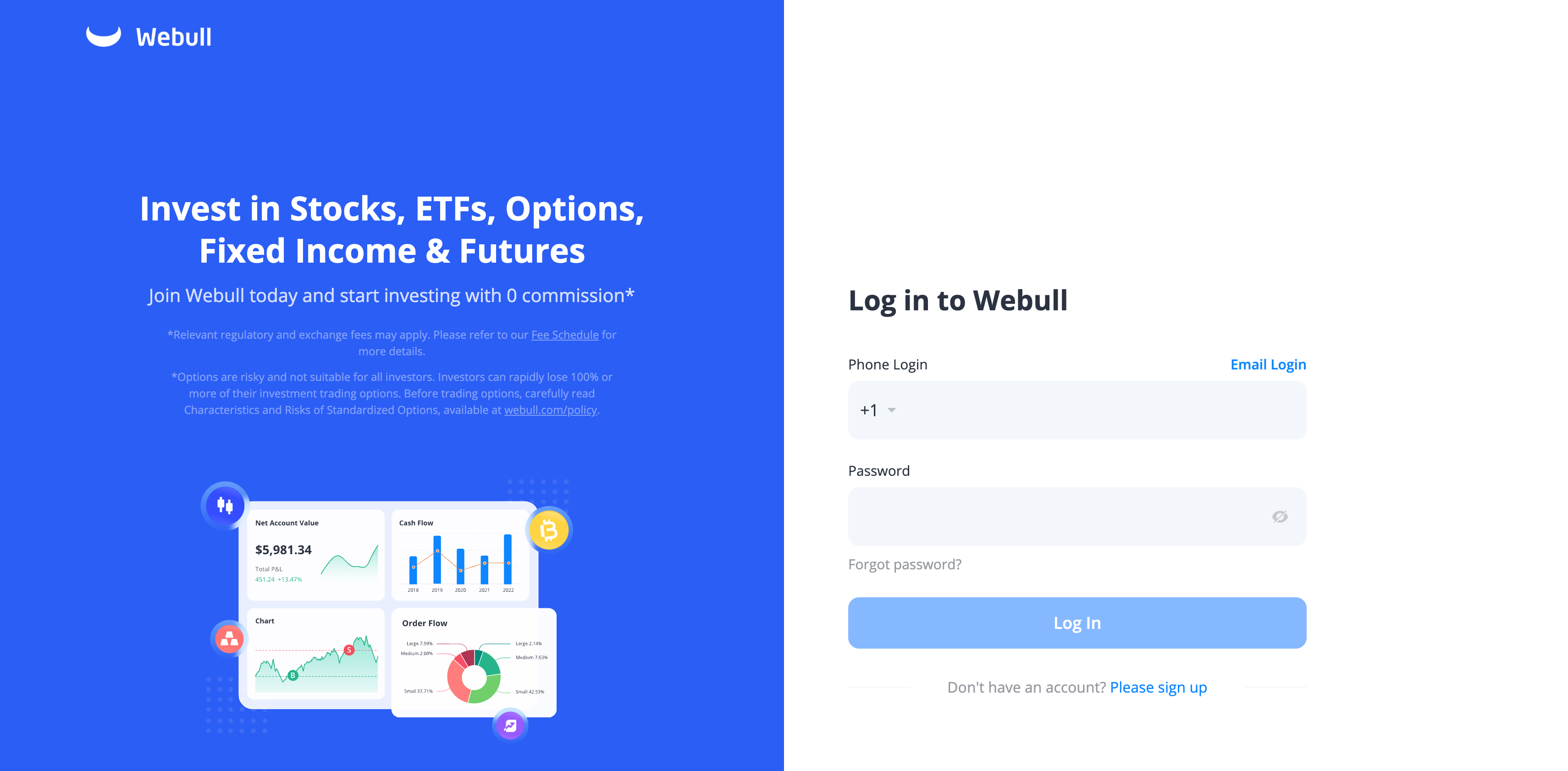
- You're redirected to Webull's own login page. Enter your Webull username and password. If you use two-factor authentication on your Webull account, complete it here.
Webull displays a consent screen listing the read-only access QuantWheel is requesting - positions, transactions, and balances. Approve the request.
You're returned to the QuantWheel Broker Integration page. Webull now shows as Connected with Account is syncing status. Initial sync may take up to 15 minutes. Any future new positions that you take also may take up to 24 hours to show. This depends on the broker.
Open Open Positions and the Journal to confirm your positions and trades are appearing.
Common issues
Nothing appears in Open Positions after I connect.
Initial sync takes a few minutes for most brokers. If more time passes and positions still don't appear, see Broker sync failed.
I got an error on Webull's login page.
The login step runs on Webull's own website, not QuantWheel. If Webull returns an error (wrong password, account locked, 2FA failure), resolve it there first. Once you can log in to Webull directly, retry the QuantWheel connection.
Can I connect multiple Webull accounts?
Yes. After the first account connects, click Connect on Webull's card again to add another. Each account is tracked separately; Open Positions and the Journal show the combined view.
Is QuantWheel able to place trades on my Webull account?
No. Connecting Webull grants read-only access to positions, transactions, and balances. QuantWheel cannot place trades.
How do I disconnect Webull?
Go to Settings → Broker Integration. On the Webull card, click the disconnect option. Disconnecting stops sync immediately; historical imported data stays in the journal unless you delete it separately.
Do I have to re-authenticate after some period?
The OAuth token Webull issued stays valid until you revoke it from Webull's side or disconnect from QuantWheel's side. If Webull force-expires the token (this can happen after a password change or security event), you'll see a re-connection prompt in QuantWheel.